 Stuffed
Give every dollar an envelope.
Envelope budgeting for iPhone. Payday fills every envelope, you spend what's inside, and you always know what's left. No bank login, no account.

2 weeks free, then A$4.99 a month or A$34.99 a year. See the plans
A fortnight in Stuffed.
Weekly, fortnightly or monthly, Stuffed runs on your pay. This is how one pay goes, from the day it lands to the next.
-
Day 1 of 14, payday
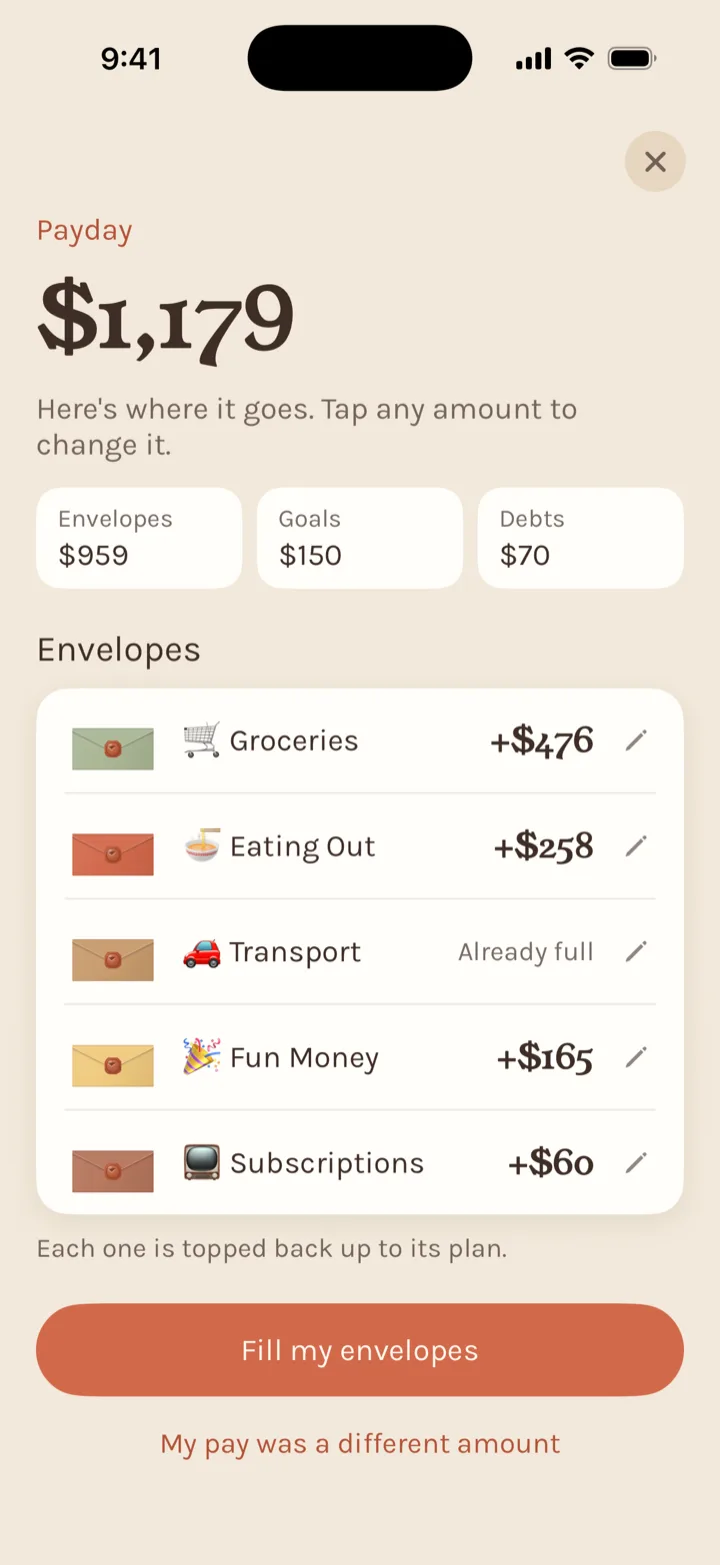
Payday fills every envelope.
Open your pay and Stuffed shares it out. Each envelope tops back up to its plan, bills get their money set aside, and goals and debts get their share. Change any amount before you fill.
-
Day 4 of 14
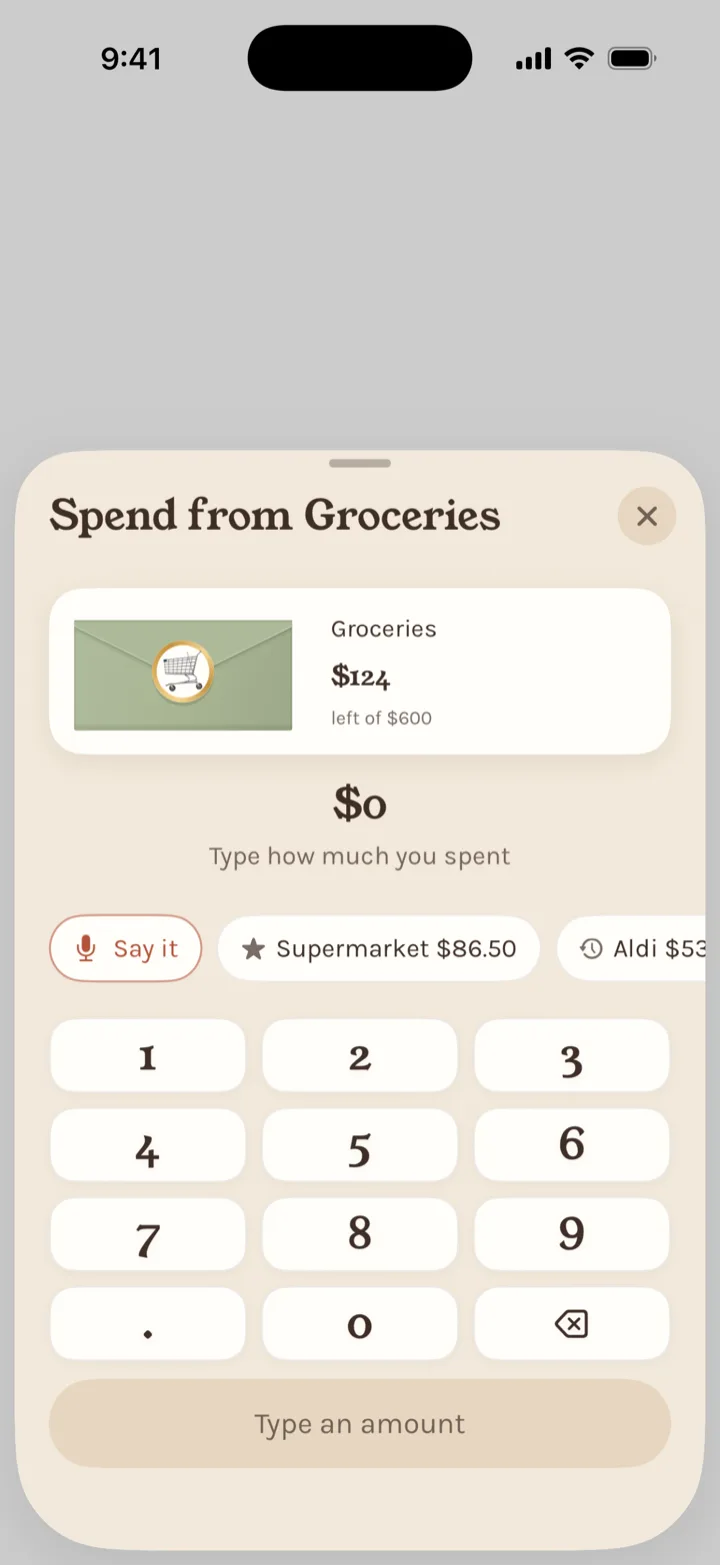
Spend in two taps.
Pick the envelope and type what you spent. Or tap Say it and say what you bought. Every spend comes out of the envelope it belongs to, so the number left is always real.
-
Day 9 of 14
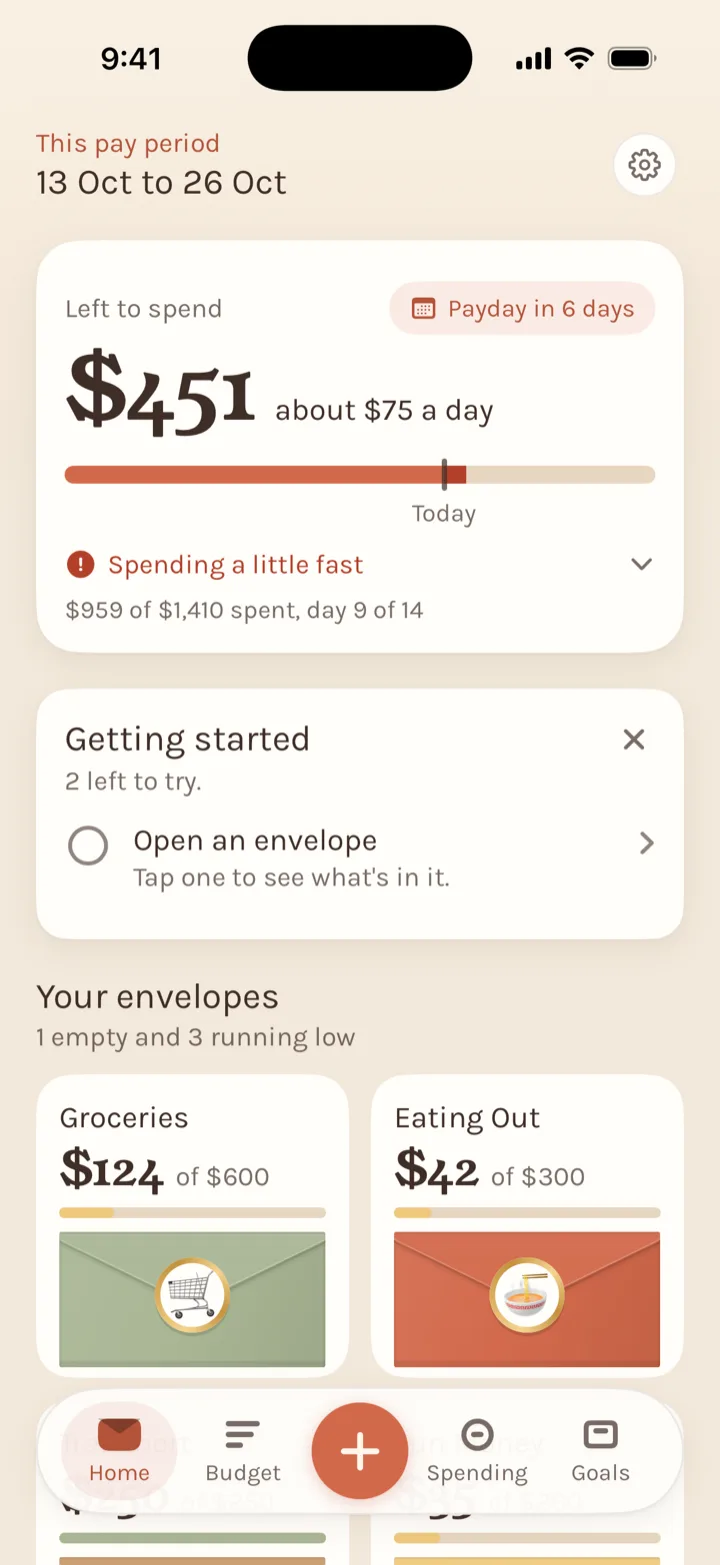
You always know what's left.
Home shows what's left to spend this pay, and about how much a day until payday. One look tells you whether you're on track.
-
Day 11 of 14
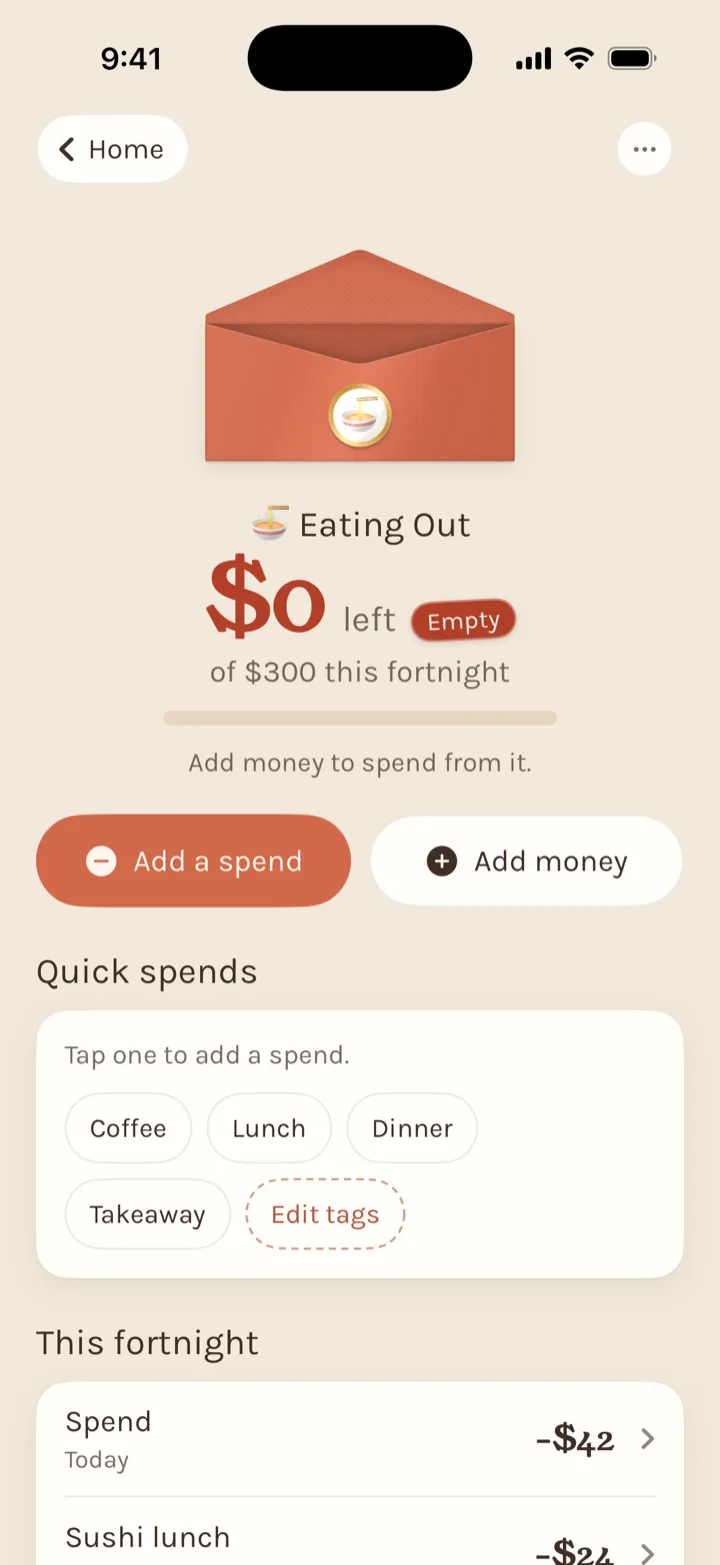
When it's empty, it's empty.
An envelope that runs out says so. Move money across from another envelope and you see exactly what you gave up, or wait for payday. No red alarms, no telling off.
-
Payday again
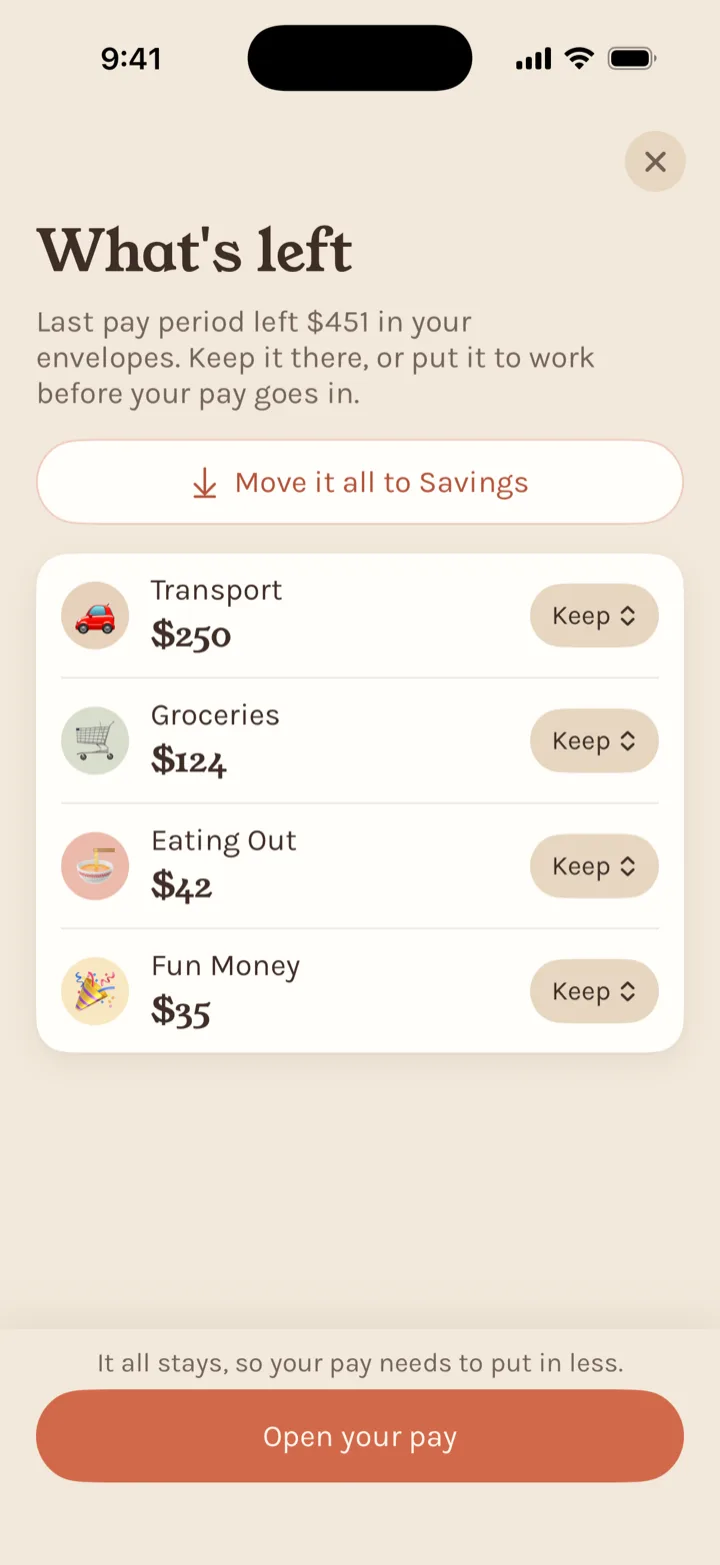
Put what's left to work.
Money still in your envelopes can stay where it is, or go to savings, a goal or a debt. Then the new pay fills them up again.
There's more inside.
-
Bills that fill up
Add rent and phone bills once. Each pay sets a little aside, so they're covered when they're due.
-
Goals
Put a little away each payday for a holiday or a car, and see about when you'll get there.
-
Debts
Pay a card or a loan down each payday and see when it's paid off.
-
Any kind of pay
Weekly, fortnightly, monthly, or pay that changes every time.
-
Widgets and Siri
See an envelope on your Home Screen, and add a spend from Control Center or Siri without opening Stuffed.
-
Count the notes
Hold an envelope to count the notes and coins inside it, the way you would with real cash.
-
Reminders
A nudge on payday, before each bill and in the evening. You choose which.
-
Short lessons
Budgeting, saving and paying off debt, a minute or two at a time. Read them here.
Your money stays yours.
- No account. No sign up, no email, no password.
- No bank login. You type what you spend. Nothing reads your bank.
- On your iPhone. Your budget lives on your phone and in its own backup, never on a server of ours.
- No ads, ever. And no ad tracking.
Every plan has everything.
Try the monthly or yearly plan free for 2 weeks. Cancel before the trial ends and you pay nothing.
Monthly
A$4.99
a month
2 weeks free first
Save 41%
Yearly
A$34.99
a year, about A$2.92 a month
2 weeks free first
Lifetime
A$59.99
once, and it's yours
No subscription
Prices in Australian dollars. The App Store shows the price where you live before you pay. You can cancel any time in your iPhone's Settings.
Questions before you start.
Do I have to connect my bank?
No. There's no bank login and no bank feed. You type what you spend in a couple of taps, or say it with Say it. Most people find that's what keeps them honest.
Does it work if I'm paid fortnightly?
Yes. Stuffed works with weekly, fortnightly and monthly pay, and with pay that changes each time. Each envelope is planned per pay, so a fortnightly budget reads in fortnights.
What happens when the free trial ends?
Your plan starts and the App Store charges you, unless you cancel before then in your iPhone's Settings. Cancel during the 2 weeks and you pay nothing.
What if I get a new phone?
Your budget is part of your iPhone backup. Restore the new phone from that backup and Stuffed comes with it, envelopes and all.
Can my partner and I share one budget?
Not yet. Stuffed keeps one budget on one iPhone.

Start on your next payday.
Stuffed is made by one person in Australia. Write to support@dorosstudios.com and the person who made it writes back.
Get Stuffed on the App Store2 weeks free on the monthly or yearly plan.